 Pay AlertDownload for iPhone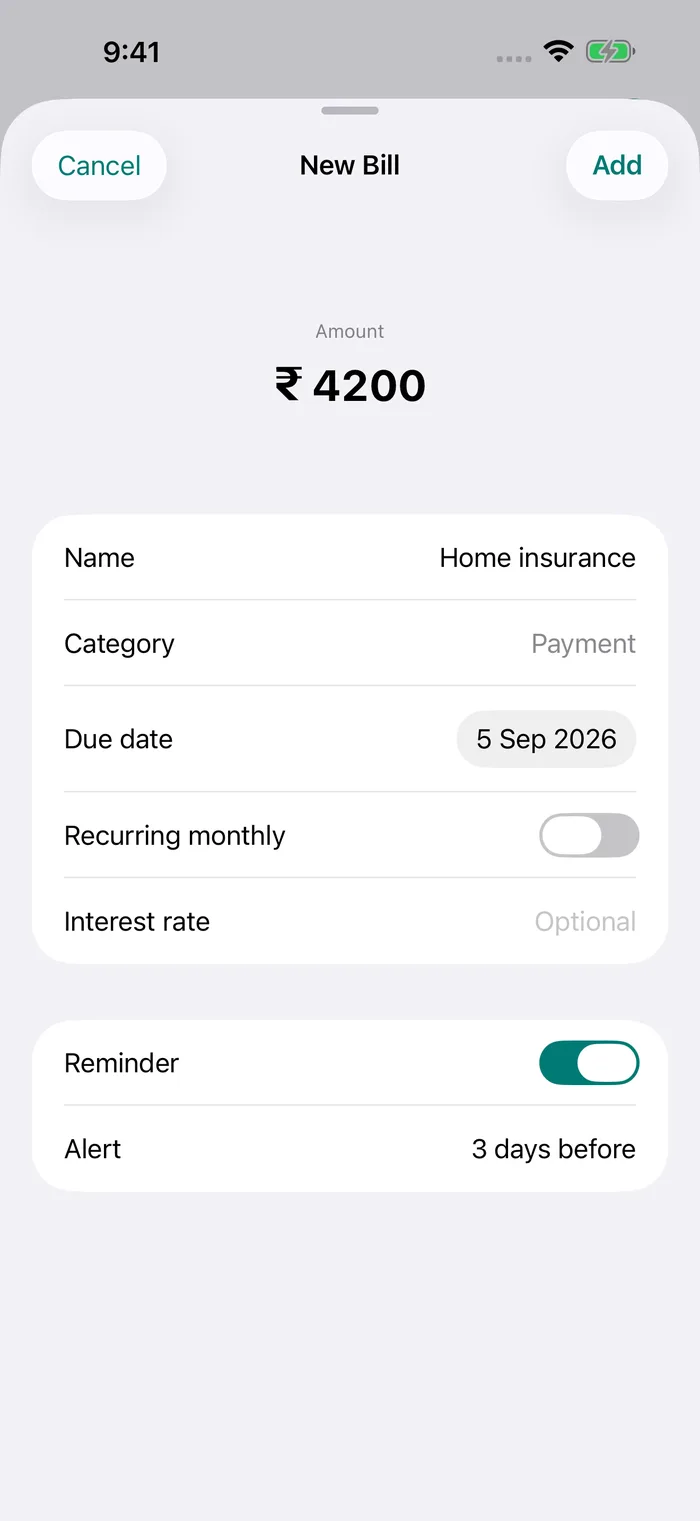
Know your billing cycle
Many electricity boards bill homes every month, but some bill every two months. Tamil Nadu is one example. Water boards and piped gas companies differ too. The billing period printed on your latest bill tells you how often it comes.
The due date, and what comes after it
Each bill shows a due date. After it, providers usually add a late payment surcharge, and a bill left unpaid for long can lead to a disconnection notice. The rules differ by state and provider, so check your bill or the provider’s website.
Monthly and two-monthly bills in Pay Alert
Pay Alert repeats bills monthly. For a monthly bill, turn on Recurring monthly and mark it paid each month.
For a bill that comes every two months, leave repeat off and add the next due date when the new bill arrives. It takes a few seconds and keeps the date exact.
LPG cylinder bookings
An LPG refill has no due date, but running out is worse than a late fee. Many families book the next cylinder a few weeks after a delivery. Add a reminder for the day you want to book, and update it after each delivery.
More than one connection
Add each connection as its own bill, for example “EB – Home” and “EB – Parents”, so each has its own date and amount.
Set it up in Pay Alert
- Tap + and give the bill a short name, for example “EB – Home”.
- Enter the amount from your bill and the due date.
- Turn on Recurring monthly. Marking this month as paid creates next month’s entry automatically. For two-monthly bills, leave it off and add each new due date.
- In Settings → Notifications, choose your Reminder time and the Scheduled alerts you want: 5, 3 or 1 day before, on the due date and every day once overdue.
- When you pay, tap Mark as Paid. It moves to your payment history, grouped by month.
Bills people track
- TNEB (Tamil Nadu)
- BESCOM
- MSEDCL (Mahavitaran)
- KSEB
- TGSPDCL (TSSPDCL)
- APSPDCL
- WBSEDCL
- Tata Power-DDL
- BSES Rajdhani
- BSES Yamuna
- UPPCL
- PSPCL
- Adani Electricity Mumbai
- Torrent Power
- CESC
- Chennai Metro Water
- BWSSB
- Delhi Jal Board
- HMWSSB
- IGL
- MGL
- Gujarat Gas
- Indane
- Bharat Gas
- HP Gas
Pay Alert does not connect to these providers, read your SMS or make payments. You add the name, amount and due date yourself, and reminders are scheduled on your iPhone.
Questions
Can Pay Alert fetch my electricity bill amount?
No. Pay Alert does not connect to electricity boards. Enter the amount and due date from your bill or SMS.
How do I set a reminder for a bill that comes every two months?
Add it with repeat turned off. When the next bill arrives, edit the entry or add a new one with the new due date.
Can I track bills for more than one house?
Yes. Add each connection as a separate bill with its own name, amount and due date.